GreyFox Studio · Blender
Souls Candle
Melting candles for dark fantasy and souls-like scenes, built in one click inside Blender.
- Blender 5.1
- Python
- Geometry Nodes
- Presets
- Holders
- Game Asset
- Baked Textures
- LODs and Collision
- Lit Flames
- FBX for Unreal
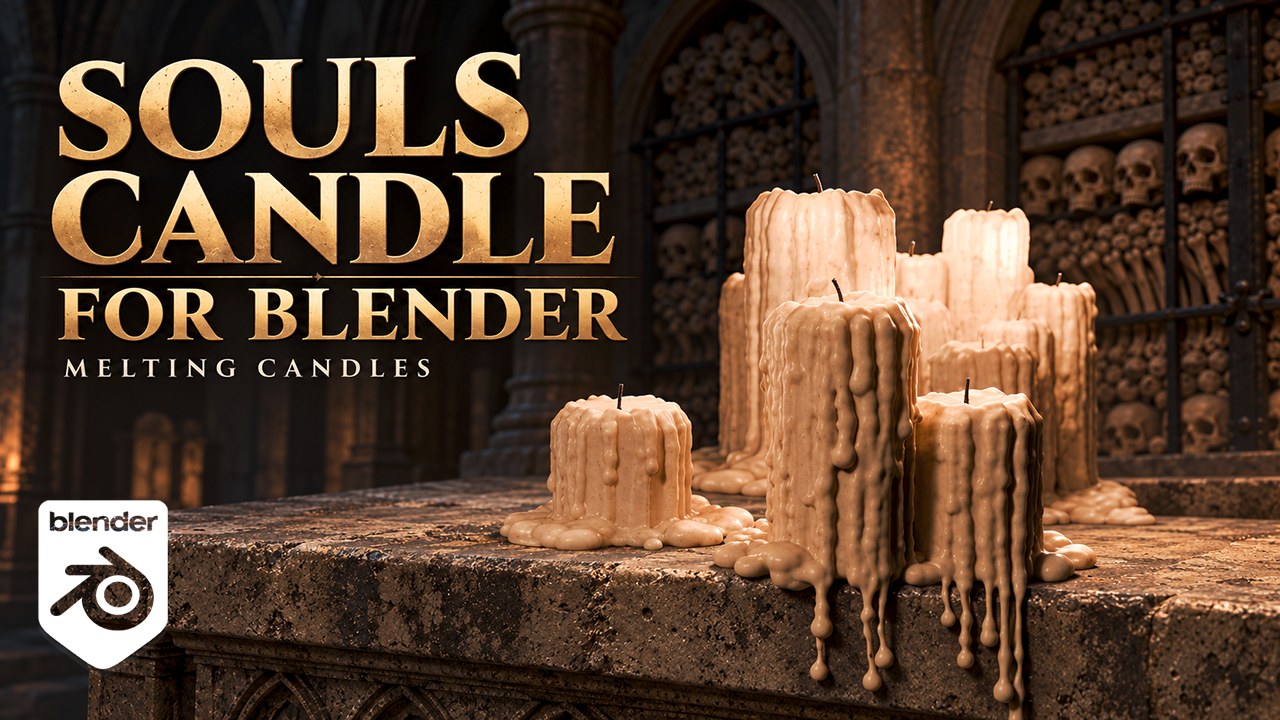
Designed for dark fantasy, souls-like and gothic environments: altars, crypts, shrines, ossuaries.
Overview
Souls Candle is a Blender add-on that builds melting candles in one click: a single candle, a pair, a trio, a row of four or a whole melted cluster. The candles stand on the ground or on any object you pick — a skull, an altar, a step, a shelf — and the wax behaves like wax: it runs down the candles, pools at their feet, follows the surface they stand on and hangs from its edges.
Pick a layout or a preset -> BUILD CANDLE -> Tune it live -> Make HP Copy, Export FBX or Make Game AssetEvery candle stays live. Change a setting and the selected candle rebuilds on the spot; select it again later and its settings come back into the panel. Select several candles and the setting you change goes to all of them.
Features
Five layouts and presets
| Layout | What you get |
|---|---|
| Single | One candle |
| Pair | Two candles side by side |
| Trio | Three candles in a triangle: one at the back, two in front |
| Row | Four candles side by side, each with its own height |
| Cluster | Up to 40 candles of different heights melted together into one wax mound |
Seven ready-made presets — Firelink Candle, Altar Trio, Cathedral Cluster, Votive Row, Fresh Candle, Burnt Stub, Skull Stub — a light Game Low Poly mesh, and your own presets with Save as Preset….
Candles on any object
- Build on an Object…: click a skull, an altar or a step, and a new candle stands on it, where you click
- Slide on Object (G): slide the candle anywhere on the object. It stays on the surface and its wax follows; left click drops it
- the eyedropper next to Support moves a candle onto another object
- supports of one mesh with several levels (shelves, steps, niches) work too
- a candle only stands where it can: not against a steep side, not past an edge
- each candle sits on the surface under it and sinks in slightly, so there is no gap
- the wax flows downhill along the surface, pools where it is flat and hangs from the edges as drips ending in drops
- the export pivot is placed on the support, where the candle stands
Holders
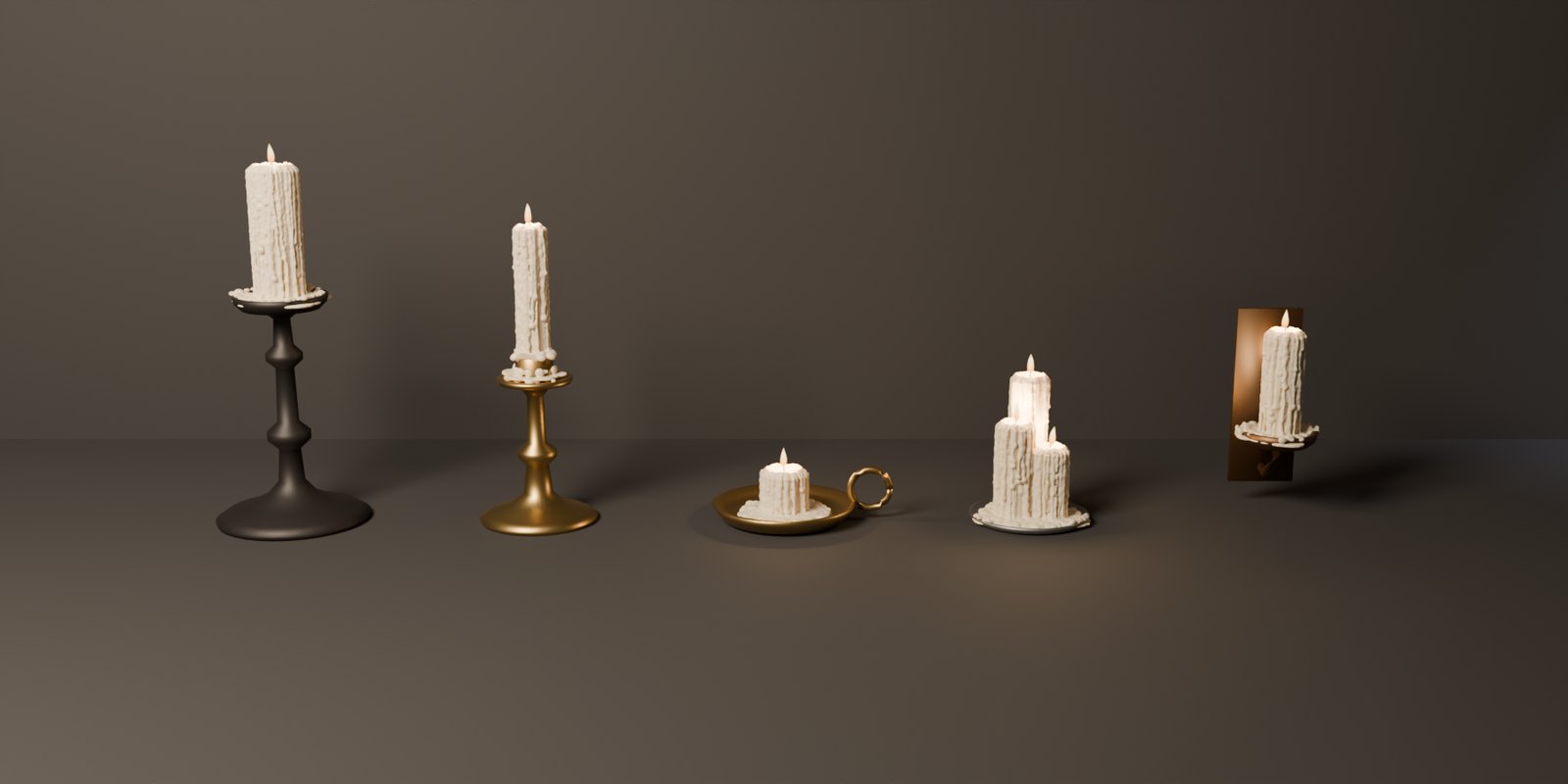
- five holders: a Pricket Stand, a Candlestick, a Chamberstick, a Plate and a Wall Sconce, in wrought iron, brass, bronze or pewter
- the candles stand in them and their wax runs over them: it pools on the drip pan or in the dish and hangs from its rim
- the holder’s size follows the candles: a plate takes a trio or a whole cluster
- part of the candle: it goes where the candle goes, and in its FBX and its game asset
- low poly with its own UV map, ready for a game as it is
Melted wax
- drips start on the rim, run down the side with beads and a drop at their end
- drip chance, length, thickness and layers: from a fresh candle to an old, heavily melted one
- puddles where drips reach the ground
- irregular wax balls around the base and on the puddles instead of flat puddles, with size, density, spread and flatness
- lumpy melted rim and a hollow crater around the wick
- Burnt Down to a Stub: every candle becomes an almost burnt-down stump sitting in its own wax
Wick
- New: clean white wick, straight
- Burnt: black wick, thinner and bent at the tip
- adjustable length and thickness
Lit flames for your renders
- a flickering teardrop flame on every wick: blue root, orange body, pale yellow tip, soft edges
- a warm candle light at every flame, flickering with it
- separate objects: never part of the wax mesh, the high poly or the FBX
- works in Cycles and Eevee; off by default
Wax color
- cream by default, any color from the panel, per candle
- the color travels with the mesh into the HP copy and the FBX
Built for game assets
- Make Game Asset…: from a candle in one click, a low poly with UVs, baked base color, normal
and AO textures, LOD1 and LOD2, a UCX collision hull, the Unreal FBX and the
_low/_highpair for Substance 3D Painter - drips, puddles, balls and candles merge into one continuous wax surface with filled creases: no hollows inside, no loose specks, ready to bake
- Make HP Copy makes a plain high-poly copy to decimate and bake; the candle stays editable
- Export FBX for Unreal Engine: pivot at the base, meters to centimeters, no scale change on
import, material slots
M_Candle_Wax,M_Candle_WickOld,M_Candle_WickNew, and aSOCKET_Flame_01,02… at every wick tip for a flame effect and a light - Make HP Copy, Export FBX and Mark as Asset work on every selected candle
- Mesh Detail setting: from a light draft to a dense high poly
- same settings and seed always give the same candle; New Seed gives a new variation
Its own panel
A dark card with gold accents in the Souls Candle tab of the 3D Viewport sidebar, in the order of the work: a line at the top that always says which candle the settings change, BUILD CANDLE, collapsible sections, Live Update and Rebuild Selected always in view, Export at the bottom. Rest the mouse on any control for half a second and a help popup explains what it does. Prefer Blender’s own panels? Turn on Classic panels in the add-on preferences.
Never freezes Blender
Coarse wax while you drag a value, a preview for candles too heavy to rebuild quickly, and settings that would take minutes refused at once.
How it works
Candles on the ground
- Put the 3D cursor where the candles go.
- In the Souls Candle tab, pick a layout or a preset.
- Press BUILD CANDLE: the candles stand on the ground under the cursor.
- Tune any setting: the selected candle updates right away.
- Make HP Copy for baking, Export FBX, or Make Game Asset….
Candles on an object
- Press Build on an Object…, next to New Seed.
- Click the object (skull, altar, step…). A new candle stands where you clicked, and the wax flows over the object and drips off its edges.
- To put it somewhere else on the object, press G (Slide on Object (G)) and move the mouse. Left click drops it.
- Moved the support? Select the candle and press Rebuild Selected.
Requirements
| Blender | 5.1 or newer — tested on Blender 5.1.2 |
| Platforms | Windows, macOS, Linux (pure Python, nothing else to install) |
| Units | Metric (Blender’s default), any unit scale. Sizes in the panel are in centimeters and millimeters |
| Installation | Edit > Preferences > Get Extensions > Install from Disk, pick the zip |
Triangle budget
Souls Candle builds the wax as a fine voxel surface so drips and drops stay round. It is meant as a high poly to bake from — or to turn into a low poly with Make Game Asset.
| Layout | Smallest Detail 0.6 mm (default) | Smallest Detail 1.2 mm |
|---|---|---|
| Single | ~205,000 | ~49,000 |
| Trio | ~500,000 | ~114,000 |
| Row | ~717,000 | ~165,000 |
| Cluster (12 candles) | ~1,217,000 | ~287,000 |
Scope limitation
The candles are built as high poly. Make Game Asset makes the low poly from it: decimated,
unwrapped with Smart UV Project, with baked base color, normal and AO textures, LOD1 and LOD2, a
UCX collision hull, the Unreal FBX and the _low / _high pair for Substance 3D Painter. For a
hand-made low poly or hand-made UVs, start from the HP copy in your usual tools. On an object, the
wax that goes inside the support stays in the mesh (hidden by the support). Candles stay upright,
and only the support counts: a candle on a skull does not see the bones around it. A candle does
not follow its support until Rebuild Selected. Candles over about 2,000,000 triangles show as
a coarse preview until you raise Smallest Detail or press Full Detail Anyway. The Wall Sconce does
not fix itself to a wall: turn the candle and move it there. Holder metals are plain materials,
without textures.
FAQ
Do I need the modifier panel? No. Everything is set from the Souls Candle tab. The candle carries a geometry nodes modifier that builds the wax; leave it on the object and use Make HP Copy to get a plain mesh.
Does it make the low poly and the textures? Yes: Make Game Asset… makes a low poly with UVs, baked textures, two LODs and a collision hull, with the FBX files for Unreal and Substance 3D Painter, in one click.
Can the candles stand in a candlestick? Yes. Pick a Holder — Pricket Stand, Candlestick, Chamberstick, Plate or Wall Sconce — and its metal. The wax runs over it, and it goes in the FBX and the game asset with the candle.
Can I change the wax color or use my own textures?
Yes. Edit M_Candle_Wax and the wick materials like any material. Souls Candle never overwrites
existing materials with those names.
Can I sell games or assets that use candles made with Souls Candle? Yes. The meshes you make with Souls Candle are yours, for personal and commercial projects.
Can I put candles on a sloped or curved surface? Yes, up to the point where a candle could not stand. Each candle sits on the surface under it, and the wax flows downhill and hangs where the surface turns under.
How do I move a candle on the object it stands on? Select it and press G, or Slide on Object (G) in the Placement section. It follows the mouse on the surface. To move it onto another object, use the eyedropper next to Support. To lift it off the object, set Stands On to Ground first.